How to Send Tax Documents Securely: A Complete Guide
2026-09-10
Tax season often means gathering a large number of important financial documents and sending them to your accountant. W-2s, 1099s, bank statements, investment records, mortgage documents, and other financial information can contain highly sensitive personal and financial data.
That raises an important question: what is the safest way to send tax documents to your accountant?
Email may seem like the easiest option. After all, attaching a PDF and clicking "Send" takes only a few seconds. But when you're dealing with sensitive financial information, convenience should not be the only consideration.
A secure document-sharing method can give you better control over who receives your files, how they are accessed, and how the document collection process is managed. In this guide, we'll look at the safest ways to send tax documents, what you should avoid, and the documents you may need to provide to your accountant.
Why You Should Be Careful When Sending Tax Documents
Tax documents contain information that should not be treated like an ordinary attachment. Depending on the document, your files may contain:
- Social Security numbers or taxpayer identification information
- Employer and income information
- Bank account details
- Investment and brokerage information
- Mortgage information
- Business revenue and expenses
- Personal addresses
- Information about dependents
Sending this information through an unsecured or poorly controlled channel can increase the risk of unauthorized access. Even when email transmission is protected by encryption in transit, ordinary email does not provide the same level of document control as a dedicated secure file-sharing or client portal system. Once an attachment has been sent, it may also remain in inboxes, downloads, backups, or forwarded messages.
That's why, when a secure alternative is available, it is generally better to use a secure document upload or client portal system for sensitive tax information.
What Is the Safest Way to Send Tax Documents?

For most accountant-client relationships, a secure client upload portal is the preferred option. Instead of attaching documents to an email, your accountant can provide a secure place where you can upload the files they have requested.
A well-designed document collection system can make it easier to:
- Upload sensitive documents securely
- Keep documents organized
- Control access to submitted files
- Track which documents have been received
- Avoid sending sensitive attachments through email
- Reduce unnecessary back-and-forth between the client and accountant
The important point is that security and organization work together. A secure system should not only protect the files but also make the process easier for both sides.
4 Ways to Send Tax Documents Securely
There is no single solution for every situation. The best method depends on what your accountant provides and how sensitive the information is. Here are the most common options.
1. Secure Client Upload Portal
A secure client portal is generally the most convenient option for modern accountant-client document collection. The accountant provides a secure link or client workspace where requested documents can be uploaded directly.
For example, an accountant might request a W-2, 1099, bank statements, brokerage statements, mortgage documents, and business expense records. Instead of sending everything as separate email attachments, the client can upload the files to the appropriate request.
This creates a much more organized process, and can reduce the common tax-season exchange of "Did you receive my documents?" and "I think I already sent that." A secure portal gives both the accountant and the client a clearer view of what has been requested and submitted.
What to look for in a secure document portal: encryption, access controls, secure file uploads, document organization, upload confirmations, controlled sharing permissions, clear document requests, and appropriate data retention and deletion controls. Security claims can vary between providers, so it's worth reviewing how a service actually protects and manages your information.
2. Encrypted File-Sharing Services
If your accountant does not provide a client portal, an established encrypted file-sharing service can be another option. Instead of attaching the document directly to an email, you upload it to the service and send your accountant a controlled link.
If password protection is available, use a strong password and share it through a separate communication channel — for example, send the link by email and the password by phone or text. This provides an additional layer of separation between the file and its access credentials. Before sending the link, check the sharing settings carefully and avoid public links or permissions that allow anyone with the link to access the files.
3. Deliver Documents in Person
Sometimes the simplest option is also practical. If your accountant has a physical office nearby, you can deliver your documents directly. This eliminates the need for digital transmission, although you should still keep appropriate copies of important records and make sure the documents are handed directly to the intended recipient. For original documents, ask your accountant whether they actually need the originals before handing them over.
4. Postal Mail
Physical mail can also be used when digital document sharing is not practical. If you choose this method, consider using a trackable mailing service and appropriate packaging. Keep copies of important documents when appropriate, and avoid sending original documents unless your accountant specifically requests them.
Is Fax Safe for Tax Documents?
Fax is still used by some accounting, legal, healthcare, and government organizations. However, fax security depends heavily on the environment — a document sent to a dedicated and monitored fax system is different from one sent to a shared machine sitting in an unattended office. For most modern accounting practices, secure digital document collection is generally easier to organize and monitor than traditional faxing.
What Should You Avoid When Sending Tax Documents?
Knowing what not to do is just as important. When possible, avoid sending sensitive tax documents through:
- Unprotected email attachments — email is convenient, but ordinary attachments provide limited control over what happens after the message reaches the recipient.
- Public file-sharing links — never upload sensitive tax documents and create a link that anyone can access.
- Unrestricted shared folders — a shared cloud folder can become risky if too many people have access or if the permissions are not configured correctly.
- Text messages — taking a photo of a tax document and sending it through a messaging app may seem convenient, but it is not an ideal document collection method.
- Unknown websites — don't upload your tax documents to an unfamiliar service simply because someone sent you a link. Before uploading sensitive information, verify that you are using the correct website and that the service is legitimate.
Tax Documents Checklist: What Should You Send Your Accountant?

Once you have a secure way to send your files, the next question is: which documents do you actually need to provide? The answer depends on your personal and financial circumstances, and your accountant should give you the final list of documents required for your return. However, this general checklist can help you get started.
1. Personal and Identity Information
- Government-issued photo ID
- Social Security information or ITIN documentation
- Previous year's tax return
- Information about dependents
- Updated personal information
2. Employment and Income Documents
- W-2 forms from employers
- 1099-NEC, 1099-MISC, 1099-INT, 1099-DIV, 1099-B
- K-1 forms
- Other income statements
If you had more than one employer or income source during the year, make sure you collect the relevant documents from each source.
3. Bank and Investment Records
- Bank interest statements
- Brokerage statements
- Investment transaction records
- Dividend statements
- Retirement account tax documents
- Other investment-related forms
If you sold stocks, investments, or other assets during the year, ask your accountant which supporting records they need.
4. Mortgage and Property Documents
- Mortgage interest statements
- Property tax records
- Property purchase and sale records
- Closing statements
Keep documentation related to property transactions even if you're not sure whether it will ultimately be required — your accountant can determine what applies to your specific tax situation.
5. Business and Self-Employment Documents
- Profit and loss statement
- Business income and expense records
- Business bank statements
- Receipts and invoices
- Mileage or vehicle records
- Home office information
- Contractor payment records
- Equipment purchases and asset records
Keeping business and personal expenses separate throughout the year can make tax preparation much easier.
6. Health, Education, and Other Records
- Health insurance documents
- Retirement contribution records
- Education-related tax documents
- Charitable donation records
- Childcare or dependent-care records
- Documents supporting applicable deductions or tax credits
Remember that this is a general checklist, not a substitute for advice from your tax professional.
How to Make Tax Document Collection Easier
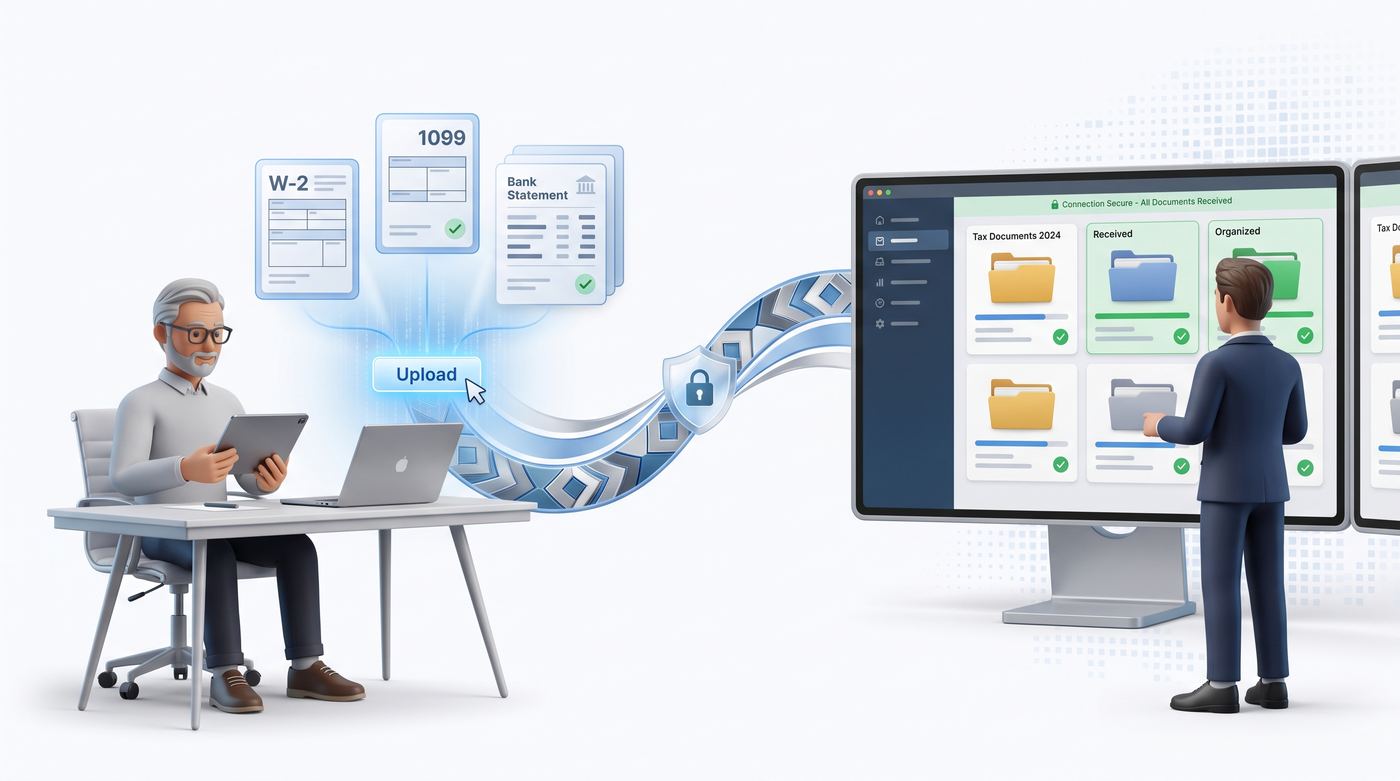
Sending tax documents securely is only one part of the process. For accountants, the biggest challenge is often collecting all the required documents from clients without dozens of follow-up emails.
A typical tax-season conversation might look like this: "We still need your 1099." "Can you send your bank statement?" "Did you already send the mortgage document?" "Which documents are still missing?"
When this happens across dozens or hundreds of clients, document collection can become time-consuming very quickly. A structured document collection process can solve much of this problem. Instead of relying on scattered email attachments, accountants can give clients a clear list of requested documents and provide a secure place to submit them.
A More Organized Way to Collect Tax Documents
For accountants and tax professionals, securely receiving documents is important, but so is knowing what has been requested, what has been received, and what is still missing. That's where a dedicated document collection workflow can help.
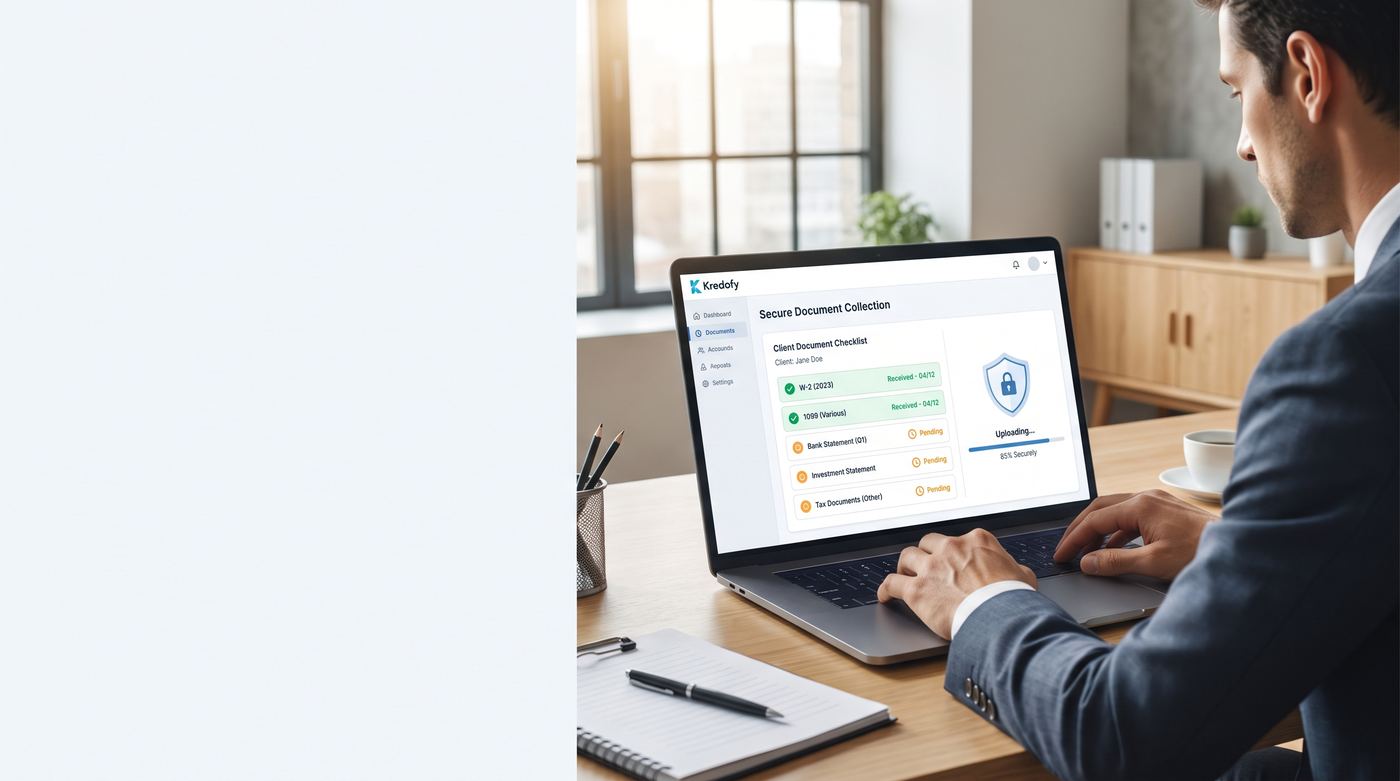
Kredofy gives accountants a simple way to collect documents from clients through a secure link. Instead of asking clients to send multiple attachments through email, accountants can create a clear list of requested documents and give clients a straightforward way to upload them. Clients can submit their files without having to manage a complicated process, while accountants can keep document requests more organized. The result is a cleaner workflow for both sides.
Final Tax Document Security Checklist
Before sending your tax documents to your accountant, take a moment to check the following:
- Confirm that you are sending the documents to the correct accountant or firm
- Use a secure client portal whenever possible
- Check file-sharing permissions before sending
- Avoid public or unrestricted links
- Use password protection when appropriate
- Share passwords through a separate communication channel
- Avoid sending sensitive documents through ordinary text messages
- Keep appropriate copies of important records
- Confirm which documents your accountant actually needs
- Make sure all requested documents have been submitted
The Bottom Line
Tax documents contain some of your most sensitive financial information, so the way you share them matters. For most accountant-client relationships, a secure document upload portal offers a better combination of security, organization, and convenience than relying on ordinary email attachments.
And for accountants, having a structured document collection process can make tax season significantly easier by reducing missing documents, repeated requests, and scattered email attachments.
Frequently Asked Questions
Is it safe to email tax documents to my accountant?
Ordinary email is not the safest option. Even with encryption in transit, attachments can linger in inboxes, downloads, and backups, and there's little control over who can access the file once it's sent. If your accountant offers a secure upload portal, use that instead.
What's the best way to send tax documents to an accountant?
A secure client upload portal is usually the best option. It lets you upload documents directly without emailing attachments, gives your accountant a clear view of what's been received, and keeps everything organized by client and tax year instead of scattered across email threads.
What should I do if I send tax documents to the wrong email address?
Let your accountant know right away so they're aware. If you can identify the unintended recipient, ask them to delete the message without opening any attachments. Going forward, double-check the recipient before sending, and use a secure upload link instead of email where possible so a mistyped address can't expose a full document.
Can I use Dropbox or Google Drive to send tax documents?
General cloud storage can work for an occasional file if you use a password-protected, non-public link and share the password separately. For ongoing tax document exchange, though, a dedicated client portal built for this purpose gives you better organization and access control than a shared drive folder.
How can I tell if my accountant handles documents securely?
Look for a dedicated upload portal rather than plain email requests, clear communication about how your files are stored, and an accountant who's open about their process when you ask. A firm that has moved away from email attachments toward a structured upload system is generally a good sign.
K Written by the Kredofy team — we build secure document collection tools for accountants and tax professionals, and write about the practical side of keeping client data safe.
If you're looking for a simpler way to collect tax documents from clients, Kredofy provides a secure link-based document collection workflow designed for accountants and professional service providers. See how Kredofy works →